> ## Documentation Index
> Fetch the complete documentation index at: https://nango-wari-integration-config-credentials-api.mintlify.site/llms.txt
> Use this file to discover all available pages before exploring further.
# xAI - How do I link my account?
## Overview
To authenticate with xAI, you will need:
1. **API Key** - A key that grants secure access to the API, enabling authorized applications to interact with xAI resources and services.
This guide will walk you through generating your **API Key** within xAI.
### Prerequisites:
* You must have an account with xAI.
### Instructions:
#### Step 1: Generating Your API Key
1. Login to your [xAI](https://console.x.ai/) console.
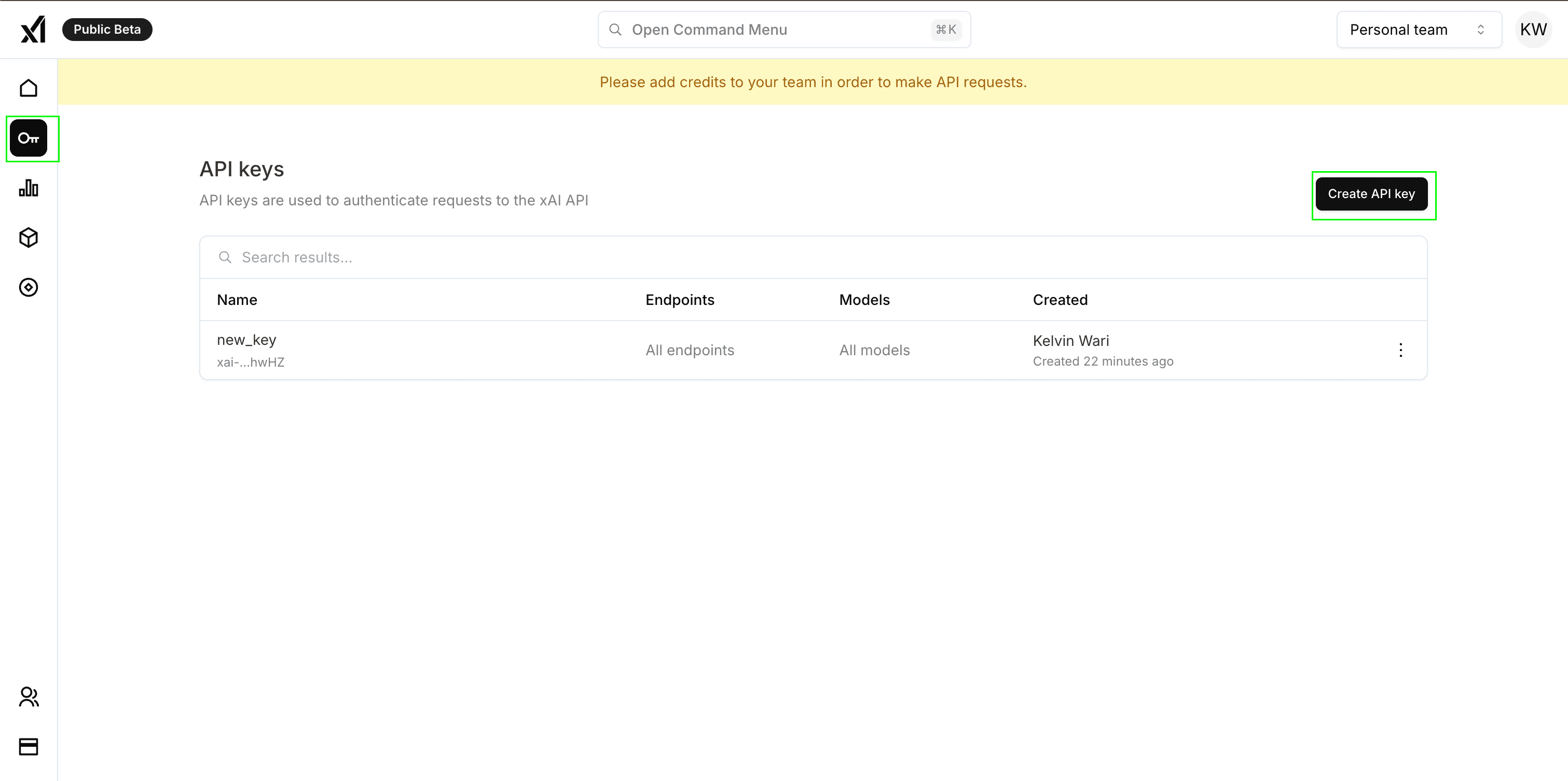
2. Click on **API Keys** in the left sidebar menu, then click the **Create API Key** button.
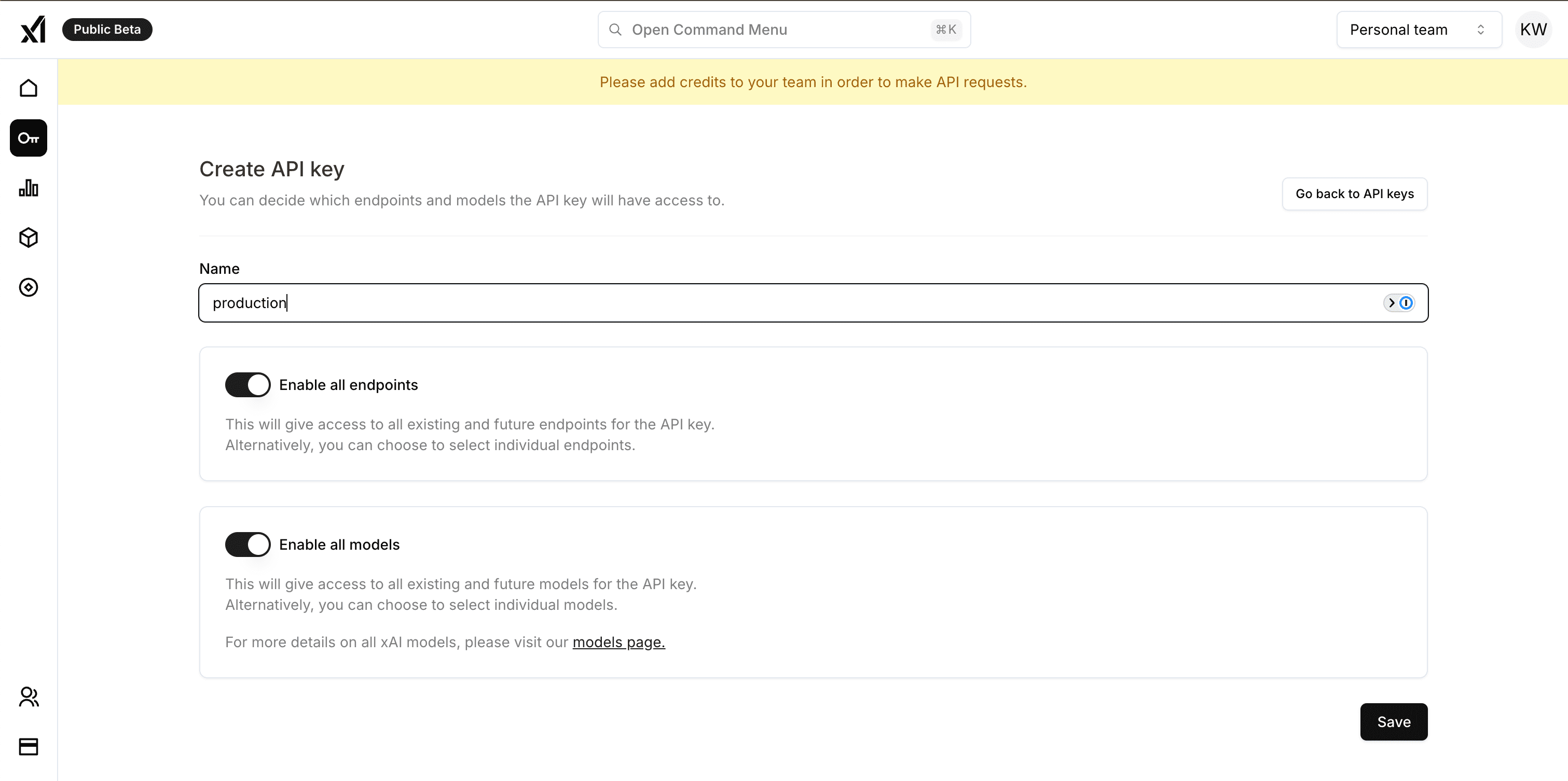
 3. Give your **API Key** a meaningful name, select the desired settings (e.g., enabling access to all endpoints), and then click **Save**.
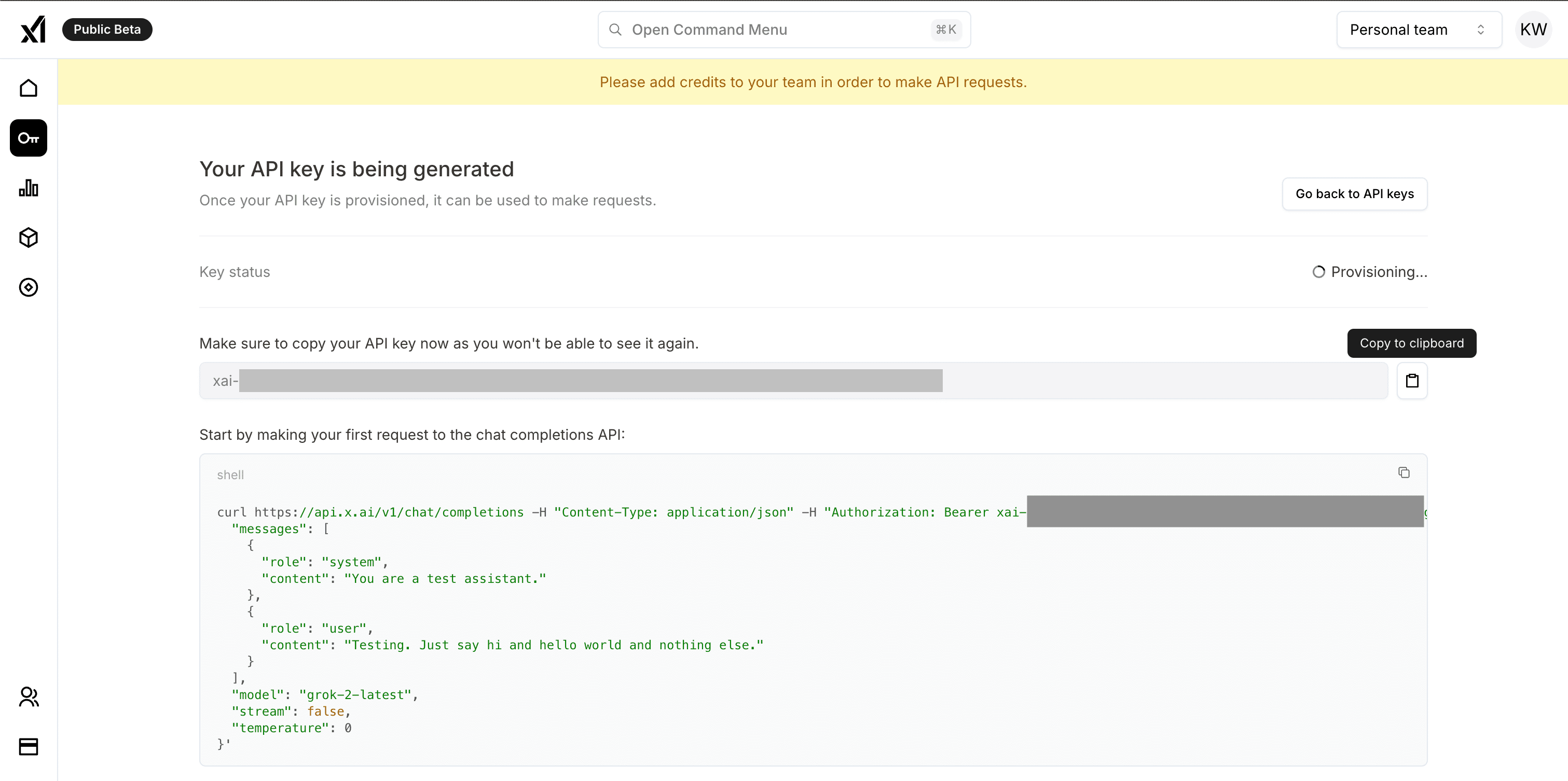
 4. Your **API Key** will be generated.
 #### Step 2: Enter credentials in the Connect UI
Once you have your **API Key**:
1. Open the form where you need to authenticate with xAI.
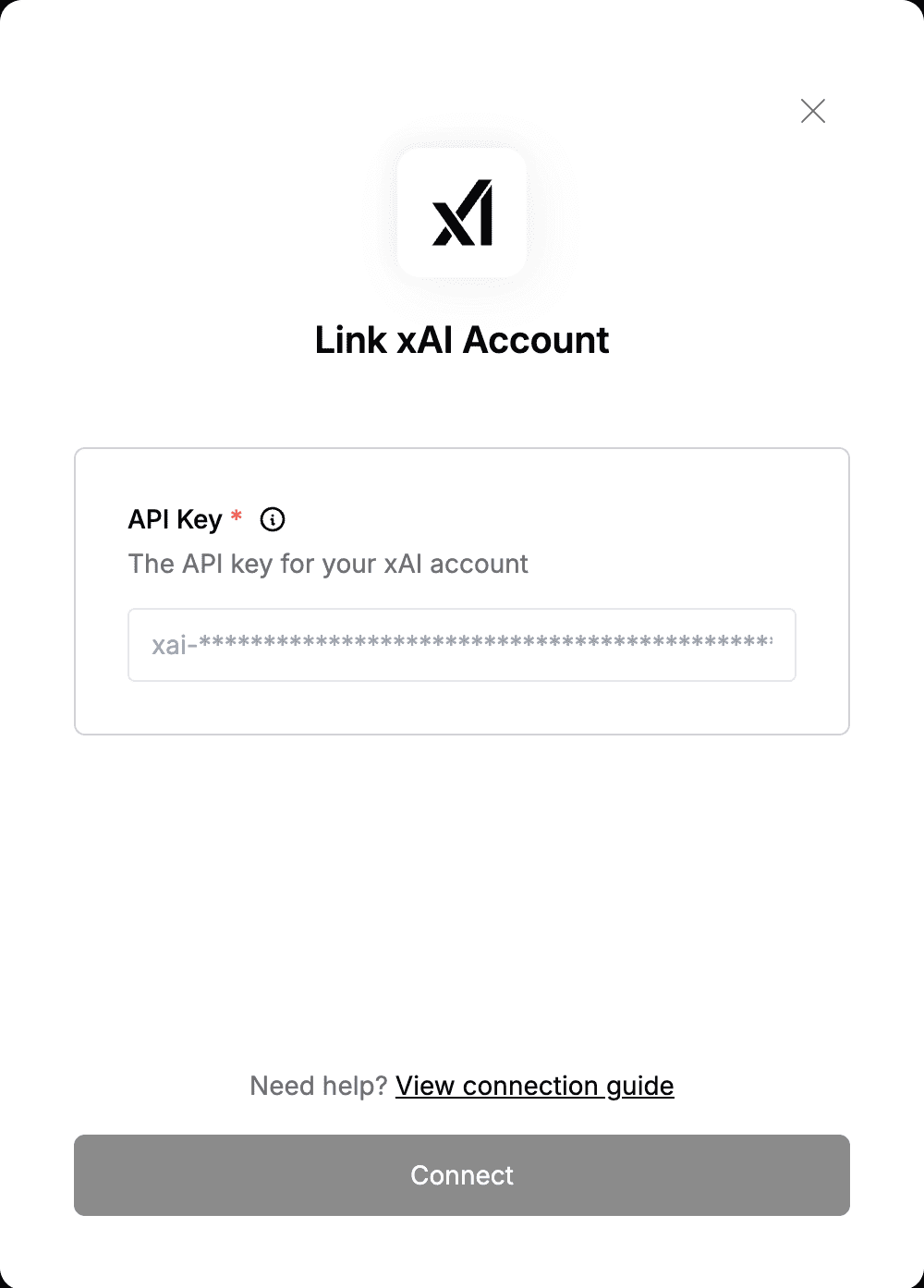
2. Enter the **API Key** in its respective field.
3. Submit the form, and you should be successfully authenticated.
#### Step 2: Enter credentials in the Connect UI
Once you have your **API Key**:
1. Open the form where you need to authenticate with xAI.
2. Enter the **API Key** in its respective field.
3. Submit the form, and you should be successfully authenticated.
 You are now connected to xAI.